

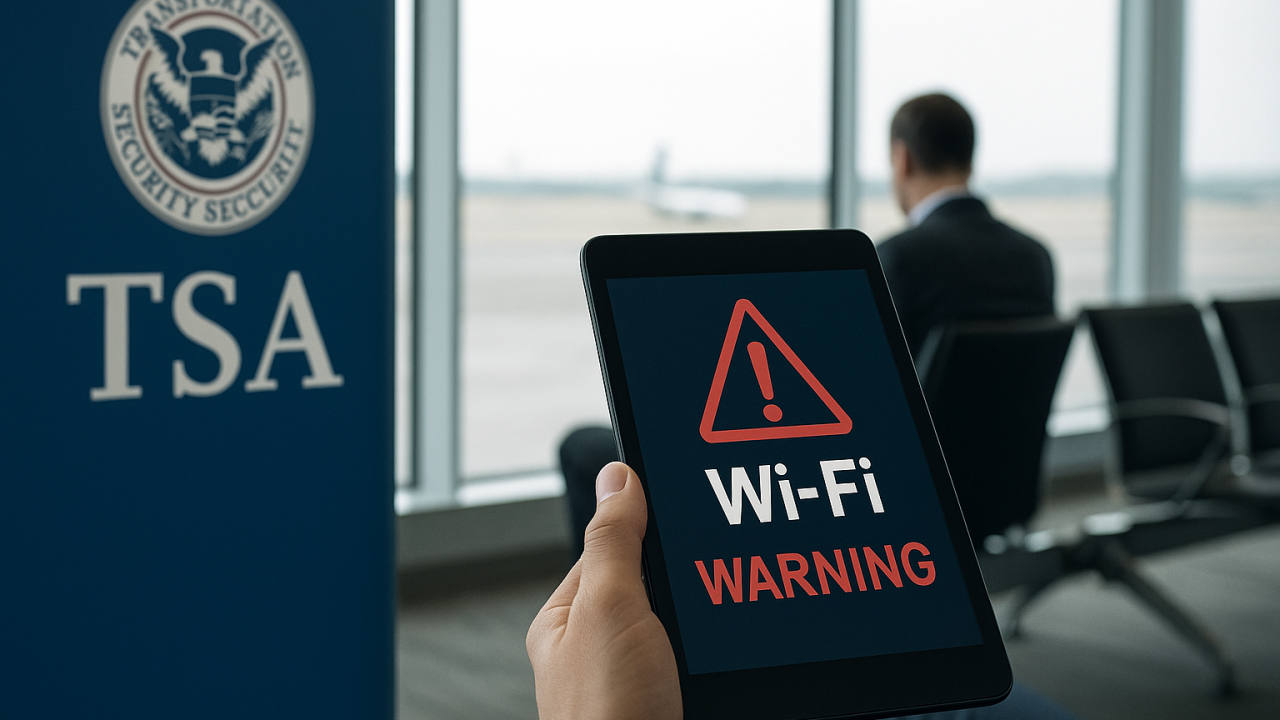
Have you ever landed at an airport, glanced at your phone battery, noticed your mobile data running low, and instantly connected to the nearest free WiFi network without thinking twice? Honestly, most people have done it. Airports practically encourage it. Free internet sounds harmless, convenient, and almost necessary during long travel days.
But here’s the uncomfortable part: public WiFi isn’t always as safe as it looks.
In recent years, the Tsa public wifi warning has gained attention because travelers are becoming increasingly vulnerable to cyber threats while using unsecured airport and public networks. What seems like a quick way to check emails, scroll social media, or book a ride can sometimes expose personal data without users even realizing it.
The modern traveler carries an entire digital life inside a smartphone. Banking apps, private messages, saved passwords, work accounts, travel confirmations — it’s all there. And cybercriminals know it.
That’s why conversations surrounding public WiFi safety have become more important than ever. The Transportation Security Administration and cybersecurity experts alike have repeatedly encouraged travelers to be cautious when connecting to open networks in airports and other public spaces.
This article explores the meaning behind the Tsa public wifi warning, how public network risks work, why these warnings matter, and the practical steps travelers can take to stay safer online while traveling.
Understanding Tsa Public Wifi Warning
The phrase Tsa public wifi warning refers to growing concerns about cybersecurity risks linked to unsecured public internet networks, particularly in airports and transportation hubs.
Public WiFi networks are convenient, but convenience often comes with trade-offs.
Unlike private home networks, many public hotspots lack strong encryption or security protections. This makes it easier for cybercriminals to intercept data, monitor activity, or create fake networks designed to trick unsuspecting travelers.
And honestly, the average person usually doesn’t notice anything suspicious.
A fake WiFi network can look almost identical to a legitimate airport hotspot. One small spelling difference in the network name might be the only clue. Most tired travelers rushing between flights won’t stop to inspect every detail carefully.
That’s exactly what attackers rely on.
The Tsa public wifi warning exists because digital threats are becoming more sophisticated while travelers remain increasingly dependent on mobile connectivity during trips.
How Public WiFi Risks Work
Open Networks Create Vulnerabilities
Public WiFi networks are often “open,” meaning they require little or no password protection. While this improves convenience, it also lowers security barriers.
When a network lacks strong encryption, attackers may be able to monitor traffic moving between devices and the network itself.
That’s where problems begin.
Fake Hotspots and “Evil Twin” Networks
One of the most common threats involves fake WiFi networks, sometimes called “evil twin” hotspots.
A cybercriminal creates a network name similar to the official airport WiFi. Travelers accidentally connect to the fake network, believing it’s legitimate. Once connected, sensitive information can potentially be intercepted.
Scary? A little, yes.
Man-in-the-Middle Attacks
Another major concern involves something called a man-in-the-middle attack.
In simple terms, attackers secretly position themselves between the user and the internet connection. This allows them to monitor or manipulate transmitted data.
Personal logins, financial information, and private messages may become exposed under certain conditions.
Automatic Device Connections
Many devices automatically reconnect to previously used public networks. This convenience feature can actually create security risks if malicious networks imitate familiar hotspot names.
Most users never even realize their device connected automatically.
Why the Tsa Public Wifi Warning Matters
The growing focus on the Tsa public wifi warning reflects how deeply connected modern travel has become to digital technology.
Travelers rely on internet access for nearly everything now:
- Boarding passes
- Hotel reservations
- Banking
- Ride-sharing apps
- Work communication
- Navigation
- Online payments
That dependence creates opportunities for cybercriminals.
A compromised device doesn’t just affect one moment during a trip. In some cases, stolen credentials or intercepted information can create long-term consequences involving identity theft, financial fraud, or unauthorized account access.
And unfortunately, travelers are often distracted, stressed, or tired — exactly the conditions that reduce careful decision-making.
Public WiFi attacks also tend to be subtle. Unlike physical theft, victims may not notice anything wrong immediately. Sensitive information can be captured quietly in the background.
That invisible nature makes cybersecurity risks particularly dangerous.
Practical Examples of Public WiFi Risks
Airport Lounges and Waiting Areas
Airports are among the most common places where travelers connect to public WiFi.
People waiting for flights often browse casually without considering security. Hackers know this and frequently target transportation hubs because of the large number of connected devices.
Hotels and Hospitality Networks
Hotel WiFi networks also present potential vulnerabilities. Shared guest networks sometimes lack strong protections, especially in smaller hotels or public accommodation settings.
Many travelers assume password-protected hotel WiFi automatically means secure. Unfortunately, that’s not always true.
Coffee Shops and Cafés
Free café WiFi has become incredibly common. People work remotely, attend meetings, and access sensitive accounts from public networks every day.
Convenience wins most of the time.
But unsecured connections can expose browsing activity and login credentials under the wrong circumstances.
Key Concepts Behind Public WiFi Security
Encryption Matters
Encrypted connections protect transmitted information by making it unreadable to outsiders.
Websites using HTTPS encryption offer better protection than unsecured HTTP sites. Still, public network vulnerabilities may remain even when browsing encrypted pages.
VPNs Add Protection
Virtual Private Networks, commonly called VPNs, help create encrypted tunnels for internet traffic.
This significantly improves privacy and security while using public networks.
Many cybersecurity experts strongly recommend VPN usage during travel.
Cybercriminals Target Convenience
Attackers often exploit human behavior more than technical weaknesses.
People rushing through airports or multitasking at cafés are less likely to verify network authenticity carefully.
Convenience sometimes lowers awareness.
Tips and Best Practices for Safer Public WiFi Use
Verify Official Networks Carefully
Always confirm the correct WiFi network name with airport staff, hotel employees, or official signage before connecting.
One extra letter or symbol could indicate a fake hotspot.
Avoid Sensitive Transactions on Public Networks
Try not to access banking accounts, financial services, or sensitive work systems while connected to unsecured public WiFi.
If possible, wait until using a trusted private connection.
Use a VPN Whenever Possible
A VPN adds an important layer of protection by encrypting internet traffic.
Honestly, frequent travelers should probably consider it essential at this point.
Disable Automatic Connections
Turn off automatic WiFi reconnection settings on mobile devices and laptops.
This reduces the risk of unknowingly connecting to fake or unsafe networks.
Keep Software Updated
Outdated software often contains vulnerabilities that attackers can exploit more easily.
Regular updates improve device security significantly.
Common Mistakes and Misconceptions
Assuming Password-Protected WiFi Is Always Safe
Many people believe any password-protected network is secure.
Unfortunately, weak security settings or shared access can still create vulnerabilities.
Thinking Mobile Devices Are Immune
Smartphones are just as vulnerable to many network-based threats as laptops.
People sometimes underestimate mobile cybersecurity risks.
Ignoring Security Warnings
Browsers and devices often display warnings about unsafe websites or suspicious certificates.
Too many users click past them automatically.
That’s risky behavior.
Believing Cybercriminals Only Target Businesses
Ordinary travelers are frequently targeted because personal information remains valuable.
Hackers don’t always need corporate data to profit.
Interesting Facts About Public WiFi and Cybersecurity
1. Airports Are Frequent Cybersecurity Targets
Transportation hubs attract cybercriminals because thousands of travelers connect to networks daily.
2. Fake WiFi Networks Can Look Legitimate
Attackers often create network names nearly identical to official hotspots.
3. Public WiFi Risks Affect Smartphones Too
Mobile devices remain vulnerable to data interception and fake network attacks.
4. HTTPS Doesn’t Solve Every Problem
Encrypted websites improve security but don’t eliminate all public network risks.
5. VPN Usage Has Increased Among Travelers
Growing cybersecurity awareness has led more travelers to use VPN services during trips.
6. Cybercrime Often Relies on Human Error
Many successful attacks happen because users overlook warnings or connect carelessly.
7. Convenience Can Lower Security Awareness
People tend to make faster, less cautious decisions while traveling.
FAQs
What is the Tsa public wifi warning?
The Tsa public wifi warning refers to cybersecurity concerns involving unsecured public WiFi networks in airports and travel locations.
Why is public WiFi considered risky?
Public WiFi networks may allow attackers to intercept data, create fake hotspots, or monitor online activity under certain conditions.
Can hackers steal information through airport WiFi?
Yes, unsecured or fake networks can potentially expose sensitive information like passwords, financial details, and personal data.
Is using a VPN on public WiFi recommended?
Yes, VPNs help encrypt internet traffic and improve security while using public networks.
Are smartphones vulnerable on public WiFi?
Absolutely. Smartphones can face many of the same network-related threats as laptops and tablets.
The Growing Importance of Digital Travel Safety
Travel today is more connected than ever before.
People manage flights, hotel bookings, payments, navigation, entertainment, and communication entirely through digital devices. That convenience has transformed travel into something smoother and faster — but also more vulnerable.
The Tsa public wifi warning reflects a larger reality: cybersecurity is no longer just an issue for businesses or tech experts. It’s something ordinary travelers must think about too.
And honestly, most people still underestimate how exposed their information can become on unsafe networks.
The good news is that safer habits don’t require advanced technical knowledge. Small decisions — verifying networks, using VPNs, avoiding sensitive logins — can significantly reduce risk.
Awareness matters more than panic.
Conclusion
The growing attention surrounding the Tsa public wifi warning highlights an important truth about modern travel: convenience and cybersecurity now go hand in hand. Public WiFi networks may feel harmless, but they can create serious vulnerabilities when used carelessly.
Today’s travelers carry enormous amounts of personal and financial information on their devices. That makes digital safety just as important as physical safety during trips.
What makes public WiFi risks especially concerning is how invisible they often are. Unlike lost luggage or stolen wallets, compromised data may not show immediate warning signs. The damage can happen quietly in the background.
Also read :Minecraft Classic Free: Why the Original Block-Building Experience Still Feels Special